
Review before importing
Preview up to 500 CSV rows / 1 MiB per batch. Identical source IDs are skipped on retry; changed details under an existing ID reject the whole batch.

WordPress tools
Turn completed volunteer service into reviewed program reports, with a clear correction history.
All reporting and import features included
Service records stay on your WordPress site
WordPress 6.9 or later · PHP 8.2 or later · InnoDB
Included features
Preview up to 500 CSV rows / 1 MiB per batch. Identical source IDs are skipped on retry; changed details under an existing ID reject the whole batch.
Replace a service entry atomically while retaining its original details, reason and replacement link. Void mistakes without silently rewriting history.
Save a snapshot for an inclusive date interval and optional exact program/award reference. Later corrections affect new reports while earlier snapshots retain their captured records.
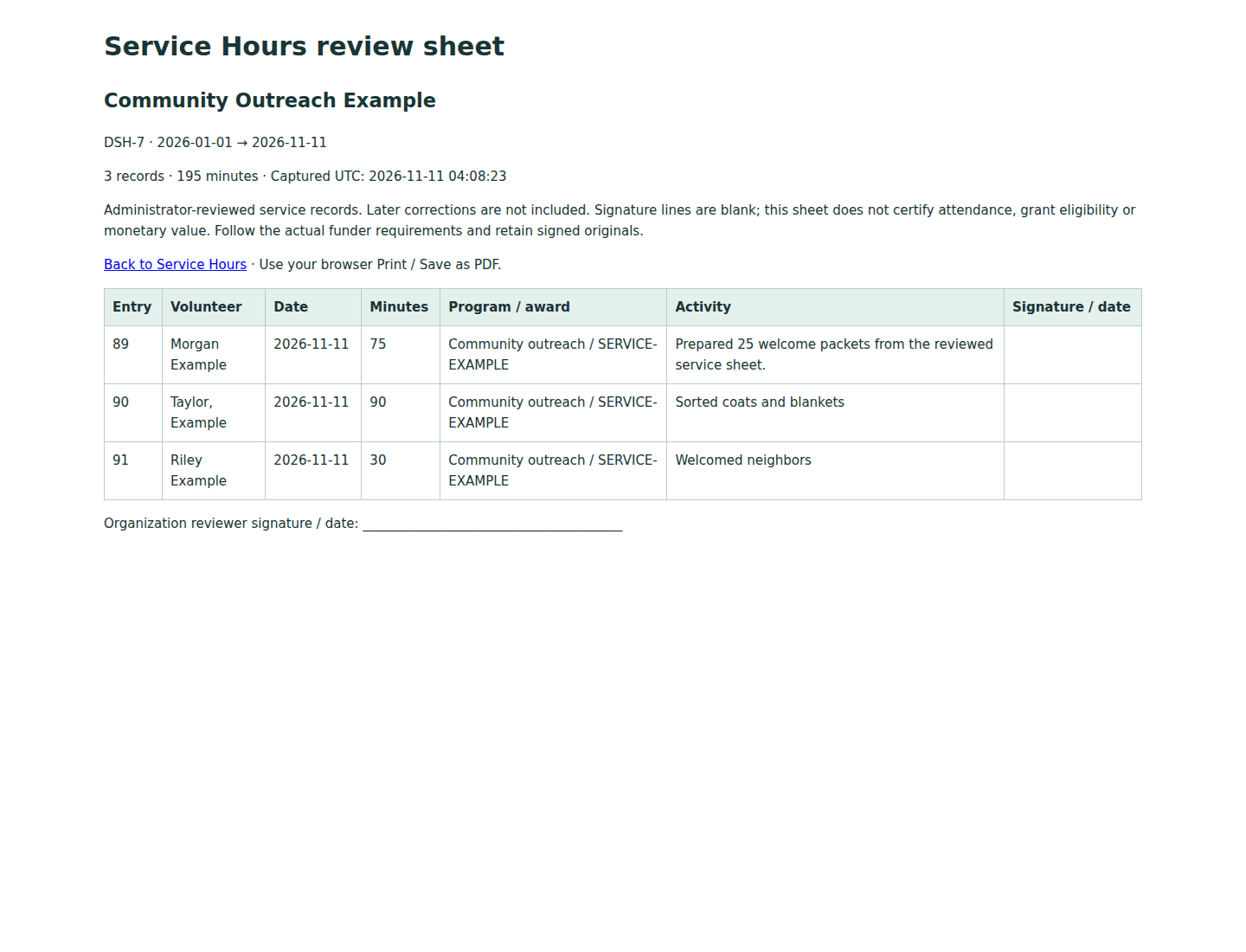
Download protected detail and summary CSV from the same snapshot, with minute totals checked before output. Print a review sheet with blank signatures through your browser.
Free and premium
Manual entries, reviewed CSV imports, explained corrections, saved report snapshots, detail/summary CSV and printable review sheets are included in the Free release. No premium enhancement is currently available.
Getting started
Before you install
Volunteers do not need WordPress accounts. There is no public intake, delegated coordinator role, check-in clock, email automation, payroll, external service or premium edition. Administrators review the source records. The plugin does not independently verify attendance, certify grant eligibility, assign monetary value or provide a tamper-proof audit.
Each import is bounded to 500 rows / 1 MiB, with documented UTF-8 field limits; larger files can be split. Stable source IDs protect retries, but different IDs can still describe duplicate real service. Whole minutes are authoritative; exported decimal hours are rounded to four places.
Local entries and reports can contain volunteer names/identifiers, optional emails, dates/minutes, program/award references, activity text and coordinator metadata. Email-based WordPress privacy tools and explicit per-entry erasure remove matching entries and entire affected reports. Review free text separately. Deactivation and default uninstall retain data; an administrator can opt into deleting all plugin tables/settings. Exports, prints and host backups may remain.
Acceptance exercised 10,000 synthetic entries and 200 volunteer identifiers, imported in 500-row batches, on disposable hosts with 2 CPUs / 4 GiB. Saved reports and complete CSV exports reconciled their totals on all four supported WordPress test versions. Performance depends on the host and workload.
Requires a single WordPress site and transactional InnoDB tables. Multisite stays paused with a useful notice and creates no Service Hours workflow storage or routes. No scheduled jobs are created.
WordPress 6.9 or later · PHP 8.2 or later.
The plugin sends no email, external requests or telemetry. Uploaded CSV is processed temporarily; the reviewed preview stays in the administrator’s browser until navigation/closure. Read the Product privacy disclosure for access, retention and removal details. DigixData Service Hours is licensed under GPLv2 or later; the license included with the plugin governs its use, modification and redistribution.
After acceptance, the WordPress.org listing will provide installation notes, FAQs and a support forum. For product questions, contact DigixData. Share versions and synthetic reproduction steps; keep personal records, private URLs and credentials out of public requests.